New Features
Redesigned Results Interface
The results area has been fully redesigned to make it easier to read, review, and act on your answers. A new Navigator panel lets you jump between sections of a long response without scrolling, keeping key content always within reach. The overall layout and visual presentation of answers has been refreshed for a cleaner, more focused reading experience.
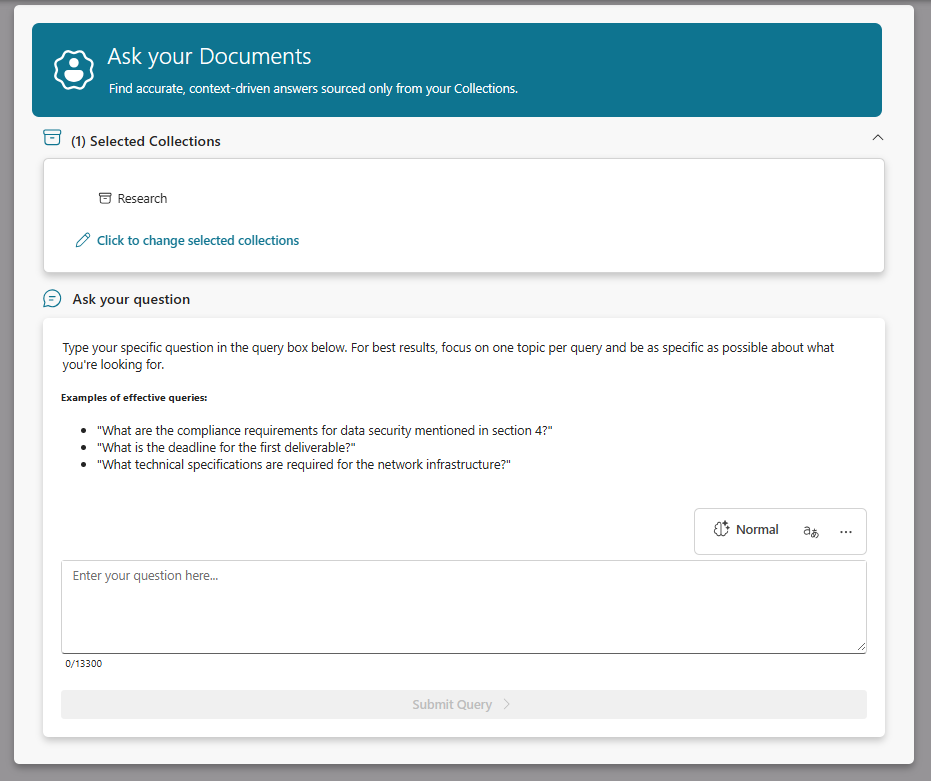

Reset Tool
New option to reset the tool to start again without having to navigate out of the tool and back again. Great for faster use of the tools when doing multiple queries.

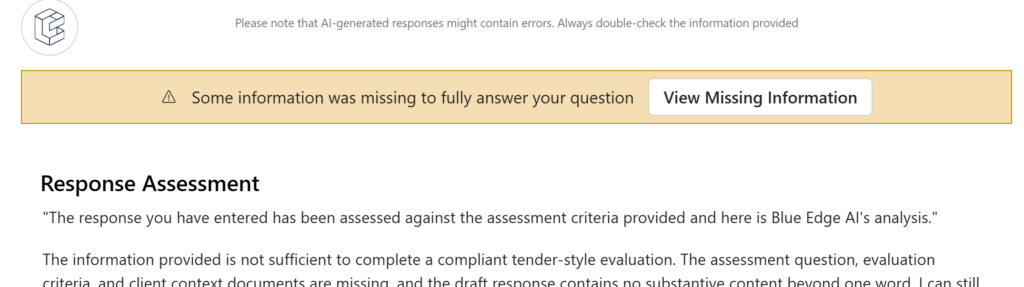
Missing something?
Tools will now highlight when they could create better results if you provide some more information – After a tool has finished, if some missing information was detected then it will let you know so you can achieve better results.
Auto Tagging Performance Improvements
The Auto Tagger now processes tag suggestions in batches, making the tagging experience significantly faster when working with multiple documents or larger collections. Suggestions still appear automatically with reasoning, and you can still review and edit them before saving.

Here’s a plainer version:
New Tool: Executive Summary Creator
Turn long bid documents into clear executive summaries. This tool helps bid professionals quickly create the concise overviews that evaluators need at the front of submissions.
The tool pulls out the key points from your existing content—what you’re proposing, why it matters, and the main benefits—without adding anything new. This means your executive summary stays true to your full proposal and won’t include claims you haven’t backed up elsewhere.
Useful when you’re working to tight deadlines and need to produce consistent summaries across multiple bid documents. Gives evaluators a straightforward overview so they can quickly understand your proposal before diving into the detail.
Project Word Templates
You can now upload word templates for projects – these will be used for any downloads when you have the project selected as your active project.

Improved Upload Progress
Upload progress indicators have been updated to give clearer, more reliable feedback as your files are processed. You can now follow the progress of your uploads more easily and see when your documents are ready to use.
Tool Improvements
Many of the tools have been optimised and enhanced to provide better and more accurate results.
Bug Fixes
- Fixed question selector formatting and layout issues.
- Fixed issues with larger documents failing to Auto Extract Questions for projects.
- Fixed toolbar display formatting across tool views.
- Fixed Word exports where tables could merge together due to paragraph spacing.
- Fixed issue where bullet points wouldn’t always apply properly in tables exported using an uploaded word template.
- Fixed various edge cases in tool options that caused incorrect or missing settings to appear.
- Fixed Deep Research failing silently when the session was not yet ready.
- Fixed a crash that could occur when displaying certain answer types.
- Improved session reliability and extended the authentication timeout to reduce unexpected sign-outs.
- Fixed tool settings options not appearing or showing incorrectly in some configurations.
- Fixed the language output indicator positioning in the main tool view.