New Features
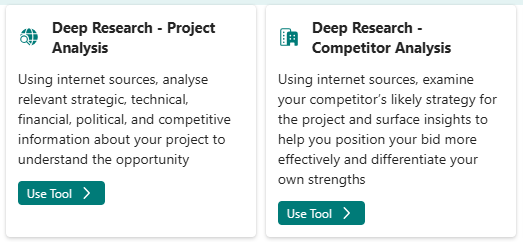
Introducing Deep Research Tools
Unlock a new level of insight with our Deep Research tools, designed to help you tackle complex questions and deliver comprehensive results. With advanced research capabilities, you can now submit in-depth research requests and receive detailed, structured reports tailored to your needs. Benefit from real-time progress tracking that allows you to start a research project and check back on its progress later.
Word Document Generator Improvements
Generate professionally formatted documents with enhanced features:
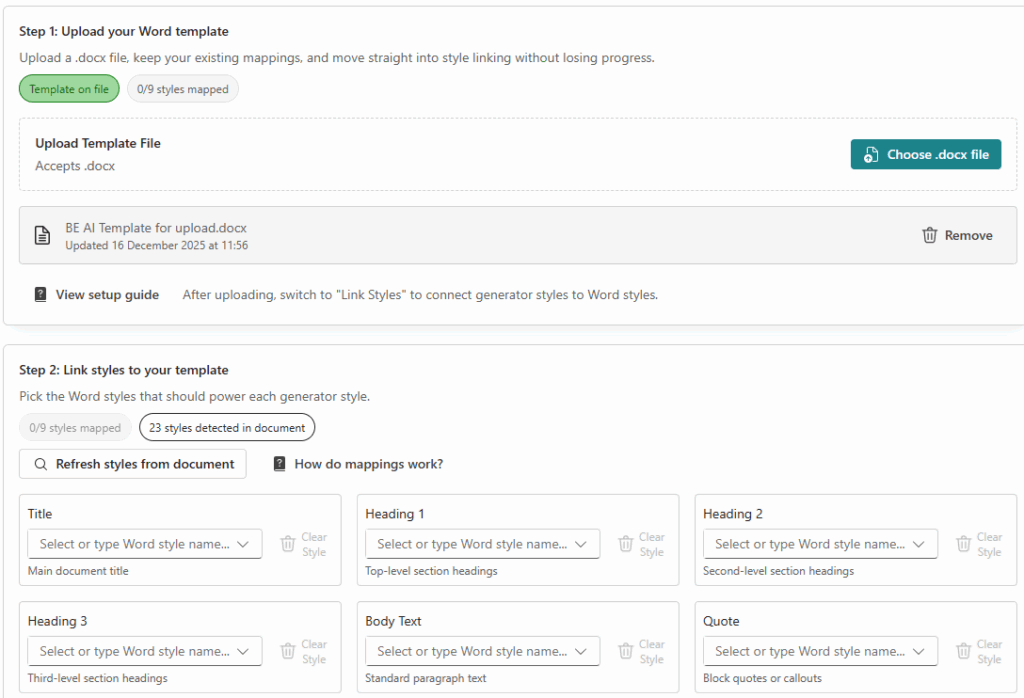
You can now easily apply your company’s branding to every document you generate. Upload your custom Word templates and map your preferred styles for a consistent, professional look. When you download documents, your organisation’s formatting is automatically applied, ensuring every file matches your brand guidelines. Choose how your content appears with the new style selector, and enjoy enhanced support for citations, custom filenames, and improved formatting for tables, lists, and structured content.
Key features:
- Upload and apply custom company Word templates
- Map template styles to document elements for consistent branding
- Automatic application of your organisation’s formatting to downloads
- Style selector for flexible content appearance
- Custom filename options
- Enhanced formatting for tables, lists, and structured content
Project Management Enhancements
Better tools for managing your projects:
Project management has been further improved with several enhancements designed to make your workflow smoother and more intuitive. Each project now clearly displays its last modified date, helping you keep track of recent activity at a glance. The question selector has been upgraded with a powerful search feature, making it easier to find and select the questions you need. You’ll also notice new loading indicators and helpful messages when there are no items to display, ensuring a more seamless experience. The project question management interface has been refined for greater clarity and ease of use, allowing you to manage your project questions more efficiently than ever before.
Extended Thinking
New ability to active Extended Thinking which will allow the AI to think further before returning an answer – this will result in a higher quality answer but will take longer.

Admin Centre
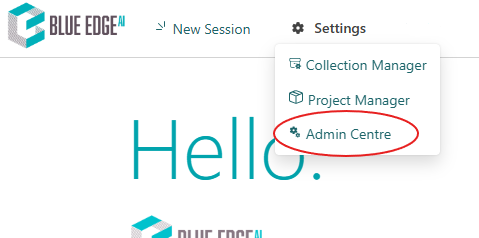
Introducing the all-new Admin Centre — a unified hub that streamlines and centralises all your system administration tasks. The Admin Centre replaces the previous User Manager, Tool Sets Manager, and Organisation Manager, bringing together all essential controls in one intuitive interface. Effortlessly manage users, teams, tags, and platform settings from a single location, making administration simpler and more efficient than ever.
Key features:
- Centralised tag management for users, teams, and collections
- Create and organise system-wide tags with custom colours and categories
- Assign tags to users and teams for improved organisation
- Enhanced user and team management tools
System Tags
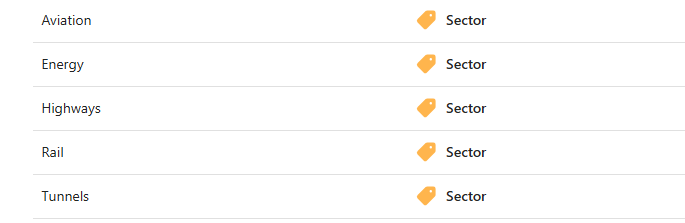
Introducing a powerful new Tag System that makes organising your platform easier than ever. Effortlessly apply tags to users and teams for improved clarity and structure, then filter and group information throughout the interface to quickly find what you need. Manage all your tags centrally from the new Admin Centre, and personalise your experience with custom colours for easy visual identification. This enhanced tagging capability streamlines organisation and helps you stay on top of your projects and teams.
Version Notifications
Stay informed about new features:
You’ll now see a clear notification dialog whenever a new version is released, making it easy to stay informed about the latest updates. Major new features are highlighted the first time you log in after an update, so you never miss important improvements or additions.
Platform Improvements
- Modern Development Stack
- Updated to the latest technologies for improved performance:
- Enhanced development tools for better stability
- Improved package management with zero security vulnerabilities
- Modern Excel file handling with better performance
SharePoint Integration Enhancements
Improved SharePoint connectivity features:
- Connection activity logs for troubleshooting
- Enhanced folder management interface
- Unsync confirmation dialogs to prevent accidental changes
- Improved file status indicators
- Better visual feedback during sync operations
- Updated file tree display with sync status icons
- Loading states for connection operations
Interface Refinements
Visual and usability improvements across the platform:
- Updated citation styling for better readability
- Improved answer display with smoother animations
- Better formatting for code blocks
- Enhanced loading indicators
- Cleaner file status displays
Collection Management
Improvements to document collections:
- Better context menu options
- Enhanced file status indicators
- Improved folder navigation
- Updated file exclusion options for SharePoint synced items
- Selection indicators for child items
Advanced AI Models
Access to the latest AI models for even more powerful analysis:
- New GPT-5 Pro and GPT-5.1 models now available
- Enhanced processing for complex research tasks
- Improved reasoning capabilities for in-depth analysis
- Extended processing time for comprehensive results
Bug Fixes
- Fixed issue with Word document generation displaying incorrectly without templates
- Resolved double paragraph spacing in Word downloads
- Corrected table formatting in generated Word documents
- Fixed citation display in Word document downloads
- Resolved scroll-to-bottom behaviour in Next Steps wizard
- Fixed Thinking Choice indicator display
- Fixed session timeout redirects in Research Tool
- Improved error message display conditions in Research inputs
- Resolved research tool description saving issues
- Fixed long description handling in Persona Manager
- Corrected project question selector empty state formatting
- Fixed double line breaks creating new rows in tables
- Resolved character limit validation in Deep Research
- Improved inline citation detection logic
- Fixed file exclusion selection causing component reloads
- Corrected SharePoint child item selection markers
- Enhanced validation for Word template uploads
- Resolved style mapping issues in Word template processing
- Fixed feedback button display in header
- Corrected research results user identification
- Improved role assignment in Admin Centre
- Enhanced session token tracking
- Fixed query property handling in research chat messages